



RetroZino Login
Returning players use the RetroZino Login section to reach their account balance and recent activity. A quick sign-in also opens personal settings, so checking a transaction or reviewing an active promotion takes just one step. New visitors start registration from the same screen, and the process leads directly into the RetroZino Casino dashboard. Login credentials work the same way regardless of the device, keeping access consistent between a computer and a phone.



Creating a RetroZino Account
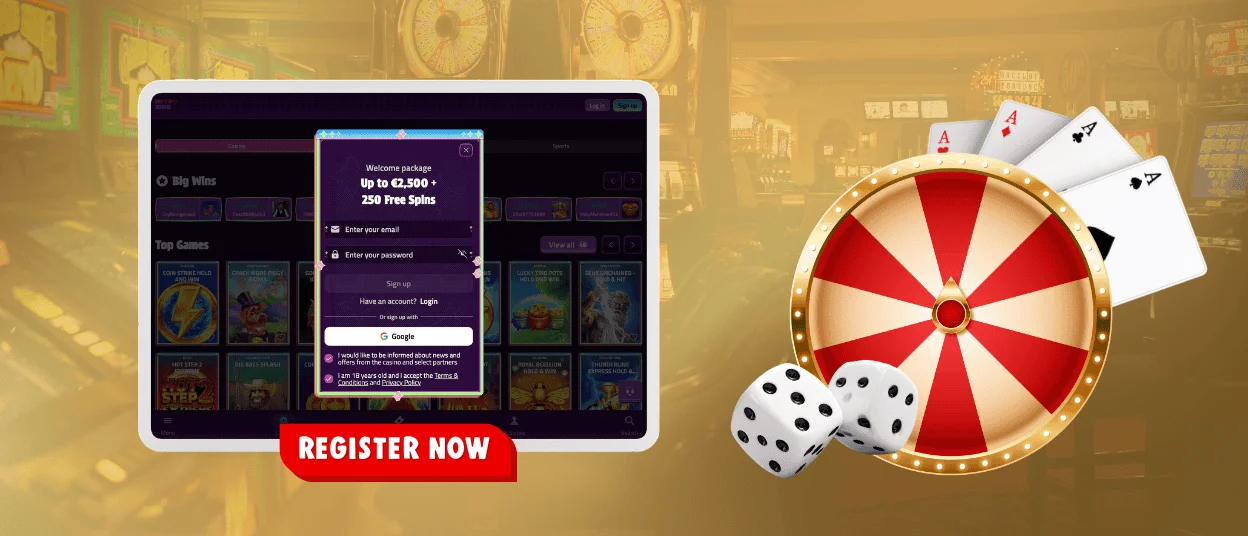
The login page also hosts registration, which follows a short series of steps.
- Enter an email address and create a secure password to form the base of the new account.
- Confirm a date of birth to satisfy the platform’s age requirement.
- Select a preferred currency, since every later deposit or withdrawal follows that choice.
- Submit the form to receive a confirmation link at the provided email address.
Opening the confirmation link activates the account, and the RetroZino Casino dashboard becomes available right away. Smaller screens receive the same registration form automatically, which lets a smartphone browser handle every step just as a desktop computer would.
What New Accounts Get
A new account opens the full game library along with a personal wallet and transaction history. Deposit and withdrawal tools sit alongside session records, and a settings panel keeps personal details up to date. Activation also brings immediate access to live chat, where the Support Team provides multilingual support for players who communicate in a different language.
Logging in to RetroZino Casino
A short sequence covers sign-in for an existing RetroZino Casino account, and the same steps apply on desktop and mobile browsers alike.
- The RetroZino Login button is on the homepage, ready for the registered email address and password.
- Confirming these details opens the account dashboard, and the system may ask for extra verification as a protection step.
The dashboard then gives a full view of balance and recent game sessions, alongside the security settings a player may want to adjust. The wallet section displays available funds separately from bonus credits, so every Retro Zino account holder always knows what can be withdrawn.
In-Account Features
The account dashboard groups several tools in one place. Balance and wallet details appear on the main screen, and a dedicated history section records deposits and withdrawals, along with gameplay activity. Bonus tracking shows active offers alongside current wagering progress. The same dashboard covers account settings too. Contact details and passwords stay editable there, alongside the responsible gaming limits a player has set.
Keeping each section separate helps a player checking recent gameplay stay aware of wallet balance and active bonus terms at the same time. This layout keeps the account easy to navigate during a short visit or a longer session.
RetroZino Verification
Password protection and TLS encryption cover every RetroZino Casino account during data transmission. Age and eligibility requirements get confirmed through identity verification before funds move in or out of the wallet. Matching payment details to the account holder on file is how this verification process also keeps transactions secure.
Responsible account management sits inside the same verification framework. Players set deposit limits and session controls directly from the account settings panel, or request a temporary break when needed. These options give account holders direct control over their activity, and the same tools remain available on every RetroZino login going forward.
KYC Documents and Processing Time
A short list of standard documents supports account verification at RetroZino. Submitted files go through the compliance team, and account status updates as soon as the review finishes.
| Document Type | Purpose |
| Government-issued ID | Confirms identity and age |
| Proof of address | Links the account to a registered address |
| Payment method proof | Shows ownership of the deposit method |
Submitting all documents in a clear, valid format keeps the review short. Details on each file line up with the registration information, which makes the check straightforward for the player and the compliance team alike.
Logging in on the Mobile App
A smaller screen is the main difference, since mobile access follows the same process as the desktop version. Players open the mobile browser version and select RetroZino Login from the main menu. The email address and password combination used during registration grants access on any device.
Balance and history display in the same format as the desktop dashboard, alongside wallet details, so players moving between devices see identical information right after signing in to their Retro Zino account.
FAQ
How do I reset a forgotten RetroZino password?
The login screen offers password recovery directly. Selecting the reset option and confirming a registered email address brings a link for creating a new password on the Retro Zino account.
Is it allowed to open multiple RetroZino accounts?
One verified identity connects to each RetroZino account. Transaction history and responsible gaming tools stay accurate for every account holder on the platform because of that link.
Does Retro Zino support social sign-in via Google?
Yes. The platform supports social sign-in through Google, allowing you to create an account or log in without entering a separate password. If you prefer, you can also use the standard email and password method, and every account follows the same verification process.


